


Missing a flight always has the power of transforming an expected normal travel day into complete chaos. Sometimes, a plane gets delayed without warning or connections suddenly change, leaving family members waiting at the airport with no idea when the aircraft will actually land. Now, you can download a flight tracker app to keep you informed and avoid these unexpected changes. That’s what Triplefly will show you in this article.
Flightradar24 is a reliable app used by millions worldwide, with a platform that tracks more than 20,000 aircraft, making flight tracking much easier now. With this flight tracker app on your phone, there’s no need of constantly refreshing airline websites or guessing if a flight is still on schedule. Below, we’ll show you that all you need to do is open the app and watch aircraft movements live on a map directly from their phones.

Flightradar24: most reliable flight tracker app
Today it’s easy to find many different flight tracking tools available, but Flightradar (iOS/Android) stands out for its speed, reliability, and detailed real-time information.
As you might expect, this flight tracker app permits users to track flights live across the world using an interactive map that updates continuously during the aircraft’s route.
This means travelers can check departures, arrivals, delays, cancellations, estimated landing times, and even weather conditions affecting flights on just one platform.
And there’s more: one of the most interesting parts is that Flightradar feels almost like a professional aviation radar system but is simplified for laypeople.
Consequently, this app is useful whether someone is picking up relatives at the airport or simply curious about planes flying overhead.
That’s exactly what the best flight tracker app delivers: instant information with just a few taps.
Accessibility also made Flightradar popular. The app works on both Android and iPhone devices, and the interface remains intuitive even for people who have never used it before.
Features available in the app
Flightradar (iOS/Android) is one of the best flight tracker apps available, and it includes several useful features that go far beyond simple departure and arrival times.
Through this app, every user can search flights by airline, airport, aircraft model, or even flight number.
And like that’s not enough; the app also displays live aircraft altitude, speed, route history, estimated arrival times, and detailed airport information.
Additionally, there’s a very popular augmented reality feature.
That’s done by pointing the phone camera at a plane in the sky, and then the app identifies the aircraft instantly and shows flight details directly on screen.
For aviation enthusiasts, that becomes surprisingly addictive after a few minutes.
Lastly, another useful feature is delay monitoring, so instead of waiting for airline notifications that sometimes arrive late, users receive real-time updates directly through the app itself.
Step-by-step: how to track flights using Flightradar24
Using a flight tracker app is not that hard, and Flightradar actually makes it very simple, even during busy travel days.
Step 1: download the app
First, download and install Flightradar24 from the App Store or Google Play Store on your mobile device.
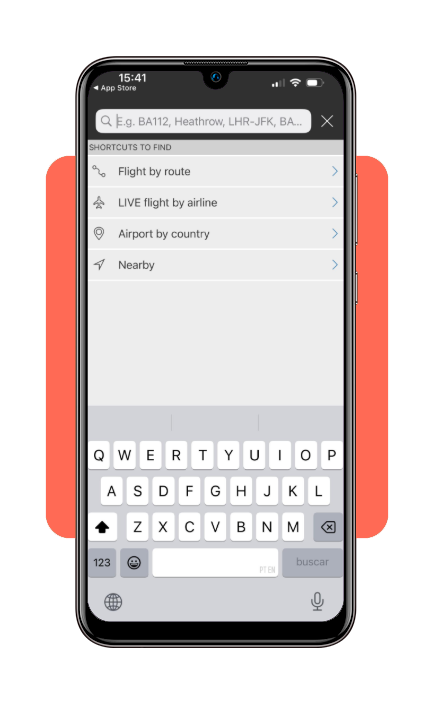
Step 2: search for the flight
After opening the app, type the flight number, airport, airline, or route you wanna track into the search bar.
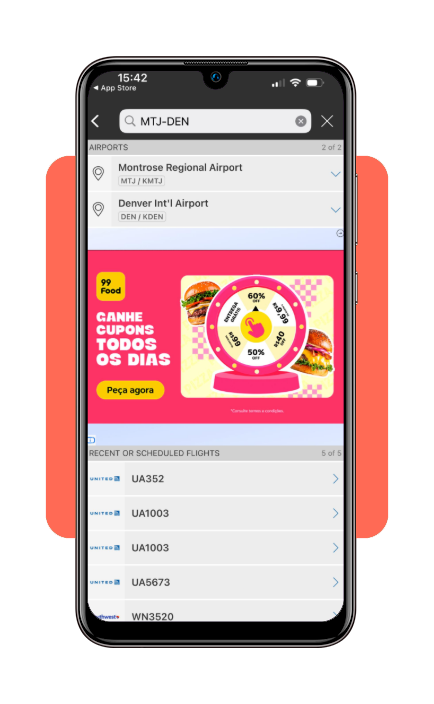
Step 3: select the aircraft
Once the flight appears, tap the aircraft icon to open detailed real-time information about the trip.
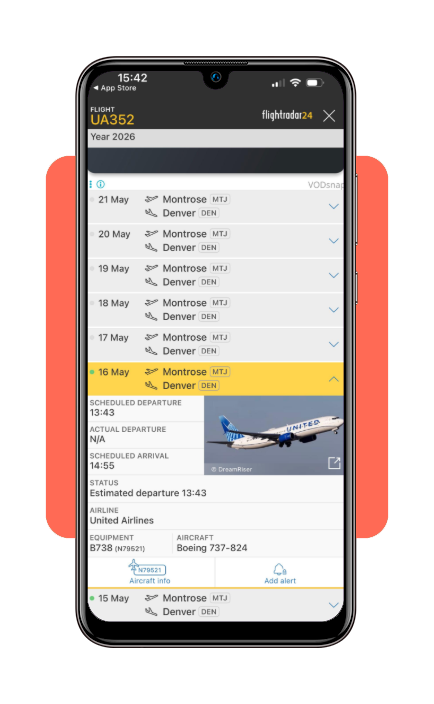
Step 4: monitor live updates
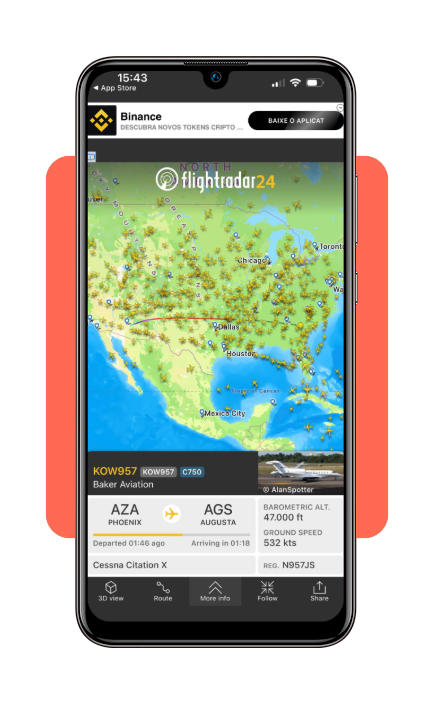
Now you can follow the aircraft on the live map and check altitude, speed, estimated arrival time, delays, and route progress.
Step 5: activate notifications
Lastly, enable alerts if you want automatic updates about delays, departures, gate changes, or landing status.
For travelers, this process becomes extremely useful during connections or airport pickups because it removes the uncertainty completely.
Tips for accurate flight tracking
Although a flight tracker app can be considered highly accurate today, some habits will help users get even better real-time information.
Following these tips on Flightradar (iOS/Android) will help everyone to not get delayed when needing to pick someone at the airport.
In order to do it, first of all, always search using the exact flight number whenever possible.
That’s because if you search only by route or airline, it may show multiple flights with similar schedules. And that can be ever worse on busy international routes or airports.
Of course it’s also important to keep the app updated regularly since new versions usually improve tracking precision, map performance, and notification speed during live monitoring.
Another smart tip is enabling push notifications before heading to the airport.
This helps users react faster if delays, gate changes, or cancellations happen unexpectedly during travel.
And also, if you’re driving and are not able to use your phone, the notifications can quickly show you some important updates.
Moreover, remember that weather conditions and air traffic control decisions sometimes affect estimated arrival times dynamically.
Because of that, small schedule changes during the flight are completely normal.
Why flight tracker apps is essential for travelers
If you are an experienced traveler, you know that modern travel moves fast, and flight schedules can change at any moment without much warning.
That’s why using a flight tracker app is a useful travel tool for different situations. Flightradar reduces this uncertainty by providing live aircraft information directly on their phones.
If you’re waiting for someone at the airport, real-time tracking makes the entire experience easier. And after using flight tracking once, it becomes very hard to travel without it again.
If you think this article was useful for your travels, save Triplefly on your favorites and stay up-to-date with other travel tips.