


Ever felt lost in the British Museum’s massive halls? It’s a common experience—you walk in to see the Rosetta Stone and suddenly find yourself three centuries deep into a gallery you didn’t know existed. The place is enormous, crowded, and packed with objects carrying thousands of years of history, which is exactly why the British Museum app starts sounding less optional after about twenty minutes.
The best way to discover the secrets of 2 million years of history without lugging around a cumbersome rented device is to turn your phone into a personal expert guide. Sure, you could always just go and look at the galleries on your own. But armed with the context of 250 highlighted objects explained in real time, it’s the difference between ‘just looking at old rocks’ and actually understanding the foundation of human civilization.

Explore the galleries with the British Museum app
The sheer scale of the museum—housing over 8 million objects—is enough to give anyone decision fatigue. The British Museum app counts 65 gallery introductions for free, so you can sense the room before you even step inside.
Available on both the App Store and Google Play, it covers everything from the Egyptian mummies to the intricate treasures of Medieval Europe.
A feature that makes the British Museum app particularly useful is that it works offline.
London’s thick museum walls are notorious for eating cell signals, but this app lets you explore the diverse collection from your couch or deep inside the stone galleries without a constant data connection.
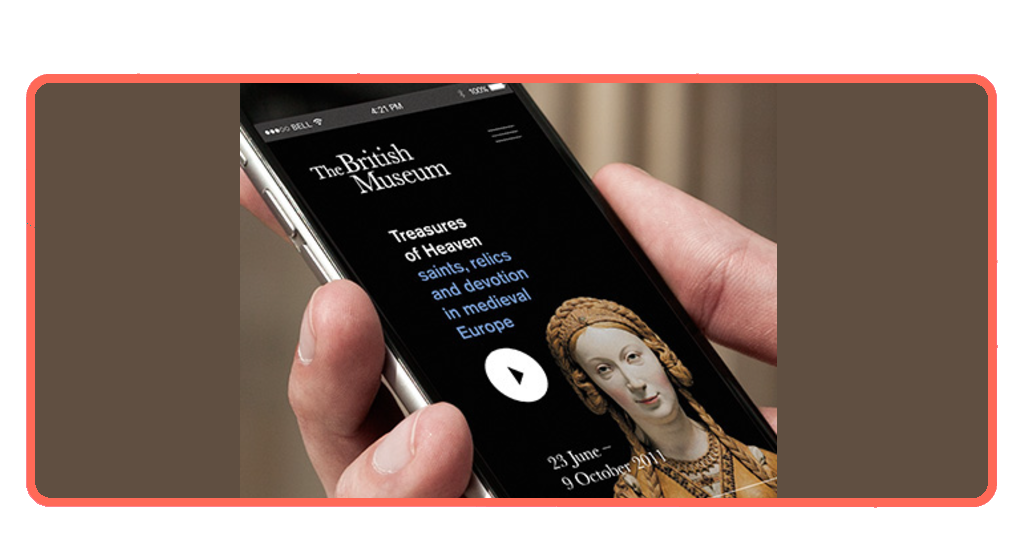
Step-by-step: how to navigate the app
Getting started is straightforward, but there are a few tricks to maximize the experience:
Step 1: download and pre-load
Install the app via the App Store or Google Play. It’s highly recommended to download the audio content at home or on high-speed Wi-Fi before you arrive.
Step 2: pick a theme tour
If you’re short on time, choose a self-guided tour like the ‘Top Ten’ or ‘Ancient Egypt’. These provide a curated path so you don’t miss the heavy hitters.
Step 3: use the keypad
As you wander, look for the audio guide symbol on display cases. Simply enter the number into the British Museum app keypad to hear curators dive deep into that specific object’s history.
Step 4: save your favorites
Use the ‘Favourites’ page to bookmark objects that catch your eye. It’s a great way to ‘collect’ the museum and look up more details once you’re back at your hotel.
Must-see attractions in the British Museum
Some exhibits attract crowds immediately. Others become memorable almost by accident. While the app covers over 250 highlights, these are the ones you absolutely shouldn’t skip.
Rosetta Stone is probably the museum’s most famous object, surrounded almost constantly by visitors attempting photos from impossible angles.
The Parthenon Marbles remain one of the museum’s biggest draws, partly because of their scale and partly because discussions around them never really disappear.
Then there are the Egyptian galleries, which feel permanently crowded in the way airports and popular brunch spots somehow always are.
Looking for more exhibit recommendations? Use the British Museum own guide.
Tips for a seamless museum experience
To navigate one of the world’s largest collections you should count on more than just comfortable shoes. To ensure your visit is more ‘inspired explorer’, keep these tips in mind.
Bring your own headphones
The museum sells earbuds at the shop, but using your own high-quality headphones makes the British Museum app commentaries much more immersive.
Check the language options
Expert commentaries are available in 9 languages, including English, Chinese, French, Italian, Spanish, German, Japanese, Korean, and British Sign Language.
Pricing
The app is free to download and offers 65 gallery introductions at no cost, which is great for a casual stroll. As for full access…
- Full Bundle (per language): £6.00 – This unlocks all 250+ object commentaries.
- Individual Themed Tours: £1.99 – £4.99 – Perfect if you’re only interested in a specific area, like Ancient Egypt or the ‘Top Ten’ highlights.
Start early
The Museum gets incredibly busy by midday, and the Great Court can feel like a packed train station. Use the app’s ‘Practical Visiting Info’ to time your arrival for the 10:00 AM opening.
To keep an eye on: The museum’s thick stone walls are notorious for killing Wi-Fi signals in the deeper galleries (especially the Egyptian wing). Download your audio bundles at home or your hotel so you can explore 100% offline.
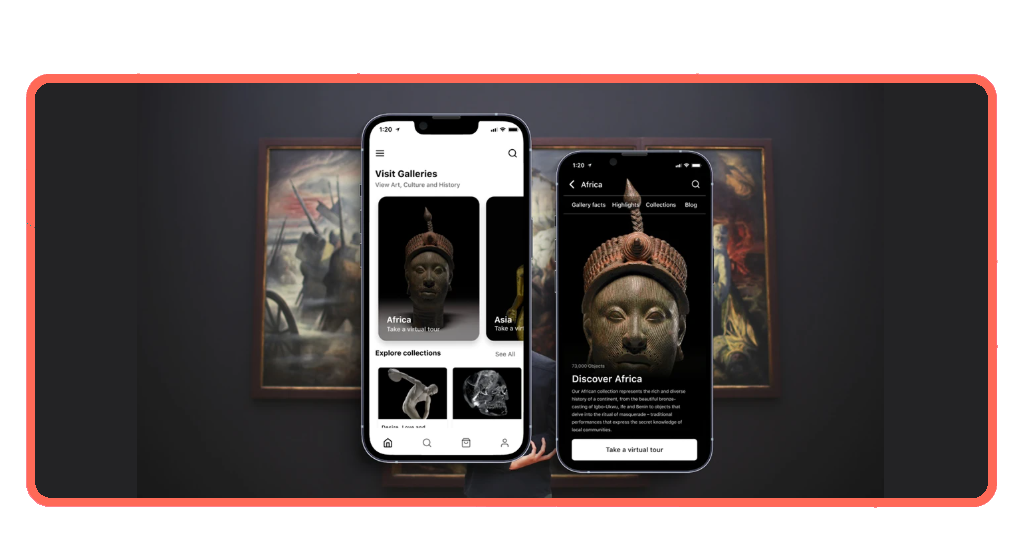
From empire stories to modern journeys
Current exhibitions are a major draw right now.
If you’re visiting this May, you’ll catch the final weeks of the ‘Hawaiʻi: A Kingdom Crossing Oceans’ showcase (closing May 25), which travelers are praising for its immersive indigenous storytelling.
Just as that wraps up, the museum has pivoted to the high-stakes drama of ‘The Trial of Joan of Arc’, a special exhibition that opened May 6.
This constant rotation of ‘limited-time’ history is why even frequent London visitors say they find something new every time they step through the colonnaded entrance. Spring’s travelers highlight a few recurring themes:
The “guided” edge
Many visitors are noting that the museum’s vastness can be its own enemy. Recent reviews frequently mention that having a guide—or the British Museum app—is the only way to avoid ‘aesthetic fatigue’ after the second hour.
Family dynamics
Parents traveling with kids have been particularly vocal about the ‘interactive trails’.
One traveler noted that their nine-year-old, usually bored by ‘old rocks’, was surprisingly hooked on the ‘top ten’ audio tour because it framed the artifacts as a detective story rather than a lecture.
Crowd rhythm
The consensus is to avoid the Friday night late openings if you want a quiet moment with the Parthenon sculptures.
While the 8:30 PM closing is great for a post-work culture fix, travelers warn that the Friday ‘museum-to-pub’ crowd can make the acoustic experience a bit boisterous.
History feels different when it actually makes sense
The British Museum can feel intimidating at first because of its scale alone. Its app does not magically simplify thousands of years of human history, but it does make the experience feel more navigable, more connected.
Sometimes all visitors really need is context.
For more tips on making the most of your London trip or finding the best local tours, visit Tripiefly and ensure your journey is as smooth as possible.