


Landing in a new country with no idea what your money’s worth is one of those travel moments nobody warns you about. The exchange booth shows a number, the airport shop shows a price, and somewhere in between, your budget takes a hit you didn’t see coming. Having a reliable currency calculator takes that confusion off the table, giving you live rates so you can walk in knowing what every dollar, euro, or peso actually buys you.
Xe is a free app that hands you live exchange rates in over 100 currencies, a decade’s worth of currency trends, and the ability to set alerts so you never miss a favorable rate. Tripiefly put this guide together to walk you through its features, share the tips that make a real difference on a trip, and show you how to use it all so the next time you land somewhere new, your wallet isn’t the last thing to figure it out.

Best currency calculator app
Xe (Android | iOS) is a free currency app that gives travelers and expats a reliable read on foreign exchange rates without fees or subscriptions attached to it.
It covers hundreds of currencies and handles everything from quick conversions to long-term rate tracking, all from a single screen that takes about 30 seconds to navigate for the first time.
The app makes planning a trip much easier with its live currency calculator sitting right on your phone, ready to give you accurate rates the moment you need them.
Features in the app
- Live exchange rates: the app pulls real-time data across different currencies, so every rate you check reflects current market conditions and not outdated numbers;
- Rate trend charts: you can pull up a full visual of how any currency has moved over time, giving you a clearer read on patterns before you decide to convert;
- Customizable alerts: set a target rate for any currency pair, and the app notifies you the moment the market hits it, so you don’t have to check manually;
- Multi-currency conversion: convert several currencies at once from a single screen, saving time when you’re comparing costs across multiple destinations on the same trip.
Track rates across 10 years of data
A currency calculator that only shows today’s rate gives you a snapshot. Xe goes further by letting you pull up a full decade of movement for any currency pair you want to follow.
That historical view puts the current rate in context. You can see at a glance if what you’re looking at sits on the stronger or weaker end of where that currency has traded over time.
For frequent travelers hitting the same destinations, that data builds into something useful. It helps you develop a feel for when a rate is worth acting on and when it’s better to wait.
Set alerts for your target rate
The Xe currency calculator lets you pick a specific rate for any currency pair and sends you a notification the moment the market reaches it; no manual checking needed.
That feature alone changes how you approach a trip. Instead of refreshing rates every few hours, you set your number once and go about your day until the app tells you it’s time.
Whether you’re sending money abroad or budgeting a longer trip, catching a favorable rate at the right moment can mean a real difference in how far your money ends up going.
Step-by-step: how to check currencies with the app
Xe (Android | iOS) puts the rate-checking process in a logical sequence that feels natural from the first time you use it, even if foreign exchange isn’t something you think about regularly.
The app gives you a live rate the moment you select your currencies, and everything you need to make a solid conversion decision sits on a single screen.
That kind of accessibility changes how you approach trip budgeting altogether, and a well-built currency calculator sitting on your phone makes the whole process click into place quickly.
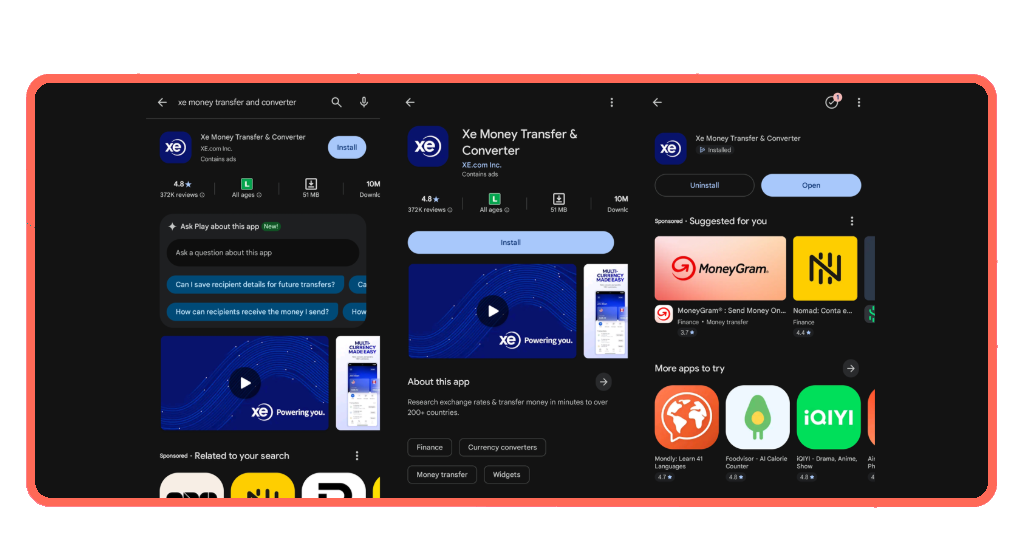
Step 1: download the app on your phone
Search for Xe on the App Store or Google Play, and you’ll find it immediately. It’s free, takes under a minute to download, and doesn’t eat into your storage in any meaningful way.
Once it’s installed, the app opens straight to the conversion screen without asking you to sit through a tutorial or click through a series of prompts before reaching anything useful.
You can create a free account if you want to save your favorite currency pairs and set rate alerts, but the core features are available the moment the app finishes downloading.
Step 2: select your currency pair
Tap your home currency, then add your destination currency under it, and the Xe currency calculator loads the live rate onto your screen within seconds.
Search by country name or currency code, and finding the right pairing takes seconds, even if international currency abbreviations aren’t something you deal with regularly.
Saving your most-used pairs cuts out repetitive searching, so repeat travelers don’t re-enter the same currencies every time they open the app before a familiar trip.
Step 3: read and compare your live rate
The rate on your screen is the mid-market rate, sitting at the midpoint between buying and selling prices and serving as the fairest reference point available anywhere.
Xe pairs that number with a chart showing recent movement, and the currency calculator lets you see whether today’s rate is stronger or weaker than it’s been lately.
Type in a specific amount and the app converts it instantly, making it easy to set a realistic daily budget before any money actually changes hands abroad.

Tips on saving with currency exchange for your trip
Every trip has a budget, and how you handle currency exchange determines how far that budget stretches once you’re on the ground, spending in a foreign currency.
Xe’s reliable currency calculator changes the way you approach those decisions, giving you data to work with instead of gut feelings and rough estimates.
A handful of practical habits make all the difference, and none of them require you to become an expert in foreign exchange markets to see real results on your next trip.
Check rates before you reach the airport
Airport exchange booths work on the assumption that you have no other option at that point. The rates they offer reflect that, and the difference compared to mid-market can be significant.
Checking rates a few days before departure gives you a baseline to work from. You’ll know what a fair conversion looks like before anyone tries to sell you a bad one.
If the rate improves closer to your travel date, you’re in a position to act on it. If it doesn’t, you still arrive with a clear number in mind and a plan.
Convert smaller amounts more frequently
Putting all your conversion eggs in one basket on a single day is a gamble. Spreading your conversions across several days reduces the risk of locking in on a particularly weak rate.
The Xe currency calculator makes it easy to check in regularly without it feeling like a chore, so you can convert $100.00 here and $150.00 there as the rate moves in your favor.
This approach works well on longer trips where your spending needs to shift week to week, and converting everything upfront leaves you with more than you need or less than you planned.
Pick the payout option for your destination
Not every country runs on the same payment infrastructure, and the payout method that works perfectly in one destination can be impractical in another with different banking norms.
Xe gives you bank deposit, cash pickup, and mobile wallet options, and a quick currency calculator check alongside your payout research tells you the true cost of each method.
In destinations where mobile wallets dominate daily transactions, sending money directly to one cuts out the extra steps your recipient would otherwise need to take to access their funds.
Know your rate before you board
Xe takes the unpredictability out of foreign exchange and puts you in control of every conversion decision you make, whether you’re abroad or planning your next trip from home.
In this Tripiefly guide, you learned how a currency calculator helps you track live rates, read trends, and time your conversions so your travel budget works harder for you.
Keep browsing Tripiefly for more articles on currency conversion, travel budgeting, and everything else you need to get more out of every destination you add to your list.